lahna.in

Author name: 360digibatch18@gmail.com

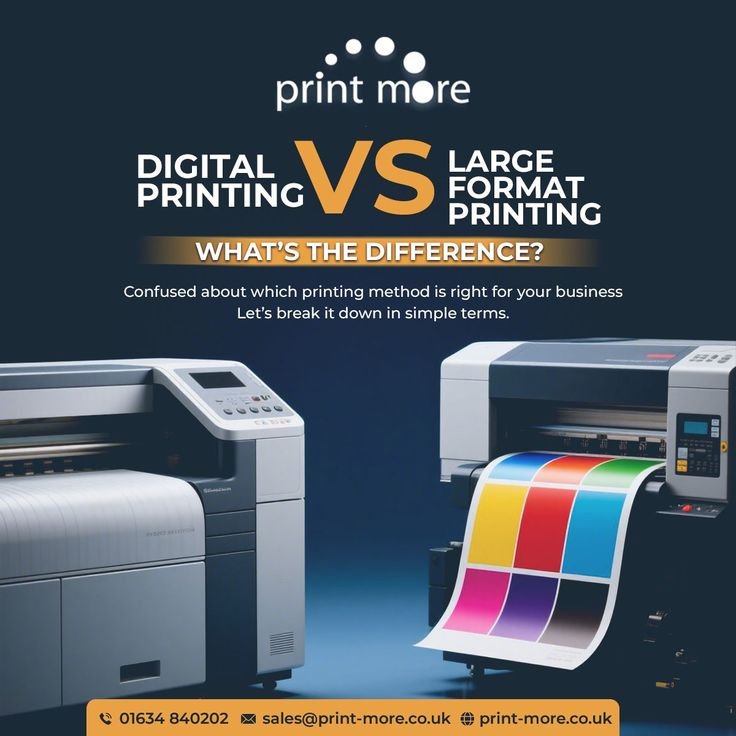
which printing is best for your business digital printing vs large format printing
Uncategorized

Print vs Digital Design: What Businesses Need in 2026Introduction

Businesses often ask — should we spend on print design or focus only on digital? In 2026, both still matter, but for different purposes. Choosing wrong wastes budget; choosing right builds stronger brand presence everywhere customers look. This guide breaks down when to use print, when to use digital, and how to make both work together. What is Print Design? Print design covers physical materials — business cards, brochures, flyers, banners, packaging, posters. It’s tangible, often used for local marketing, events, and premium brand impressions. What is Digital Design? Digital design covers screen-based visuals — website graphics, social media posts, digital ads, email banners, app graphics. It’s fast, easy to update, and reaches wider audiences instantly. Key Differences When to Use Print DesignBusiness cards and networking materialsLocal store signage, banners, postersEvent materials (flyers, standees, badges)Premium packaging for productsDirect mail campaigns for local audienceWhen to Use Digital DesignWebsite and app graphicsSocial media posts and adsEmail marketing bannersOnline product catalogsDigital ad campaigns (Google/Meta)How to Make Print & Digital Work Together Cost Comparison Overview Print: Design cost (one-time) + printing cost (recurring, based on quantity) + distribution costDigital: Design cost (one-time) + platform/ad spend (flexible, scalable) + no physical distribution cost Digital is generally cheaper to scale; print has higher upfront cost but stronger local/tangible impact. Example A local restaurant used print menus and table banners for in-store branding, while running digital ads and social posts for wider reach. Combining both, they grew local walk-ins (from print visibility) and online orders (from digital ads) simultaneously. Step-by-Step: Choosing the Right MixDefine your goal — local visibility (print) or wide reach (digital) or both.Set budget split — allocate based on goal, e.g., 30% print, 70% digital for most modern businesses.Keep branding consistent — same visual identity across both formats.Bridge with QR codes/links — connect print materials to digital presence.Track results — digital is easy to track (clicks, views); use unique codes/links to track print performance too.Frequently Asked Questions Is print design still relevant in 2026?Yes — especially for local businesses, events, packaging, and premium brand impressions that digital can’t replicate. Which is cheaper, print or digital design?Digital is generally cheaper to scale since there’s no printing/material cost; print has higher recurring cost based on quantity. Can I use the same design for print and digital?Not directly — print needs CMYK color mode and higher resolution (300 DPI), while digital uses RGB and lower resolution (72-150 DPI). Designs need separate optimization. Conclusion Print and digital design both have a place in 2026 — print builds local, tangible trust; digital builds wide, fast reach. Smart businesses use both together, connected through consistent branding and tools like QR codes.
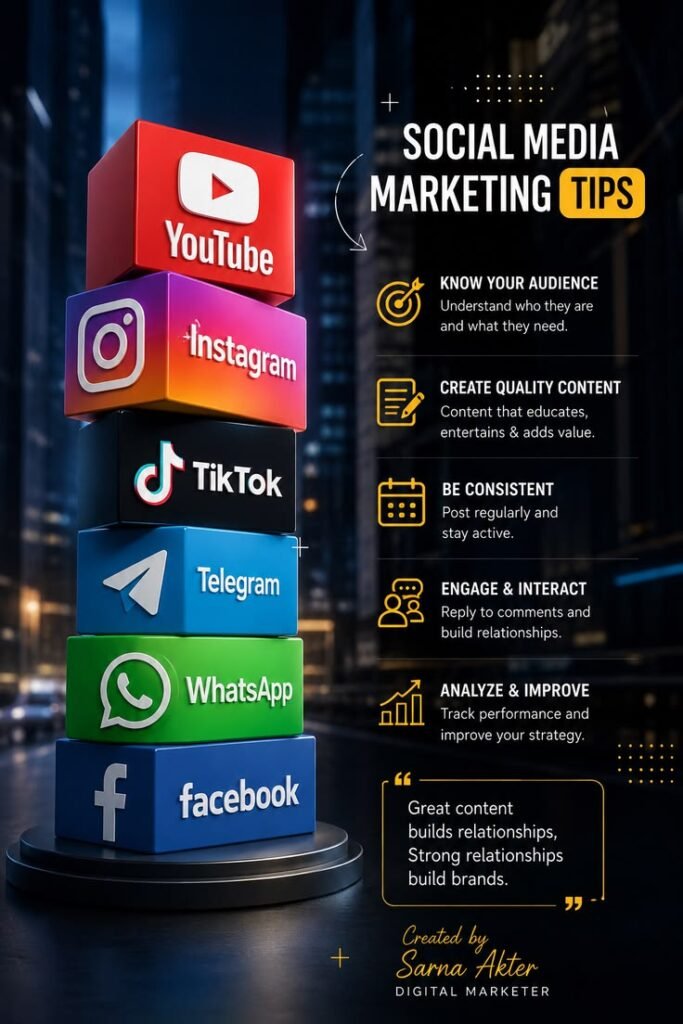
social media marketing tips for beginners grow your brand online
Uncategorized

Social Media Graphic Design Guide 2026: Tips for BusinessesIntroduction

Social media is often the first place customers see a business. Good graphic design grabs attention in seconds, while poor design gets scrolled past. In 2026, platforms keep changing sizes, formats, and trends fast. This guide covers everything a business needs to design scroll-stopping social media graphics. Why Social Media Design MattersVisuals get 2-3x more engagement than text-only postsConsistent design builds brand recognition across platformsFirst impression on social profile affects trust and followsRight format/size avoids awkward cropping and poor qualityPlatform-Wise Size Guide (2026) Instagram Feed post: 1080x1350px (portrait, best engagement)Story/Reel: 1080x1920pxProfile picture: 320x320px Facebook Feed post: 1200x630pxCover photo: 820x312pxStory: 1080x1920px LinkedIn Feed post: 1200x627pxCover banner: 1584x396px Pinterest Pin: 1000x1500px (2:3 ratio performs best)Design Tools for Social Media Design Tips for Better Engagement Common Mistakes to AvoidOvercrowding with too much text or too many elementsIgnoring platform-specific dimensions (stretched/cropped images)Inconsistent branding across different postsLow-resolution images that look blurry on high-res screensExample A local retail brand switched from random stock photos to consistent branded templates (same colors, font, logo placement) across Instagram and Facebook. Within 2 months, engagement rate increased and profile visits grew as followers started recognizing posts instantly in their feed. Step-by-Step: Building a Social Media Design SystemDefine brand colors/fonts — 2-3 colors, 1-2 fonts max.Create reusable templates — for quotes, promotions, announcements, product posts.Set platform-specific sizes — save presets in Canva/Figma for each platform.Batch design monthly content — plan and design ahead, not last-minute.Review performance — check which graphic styles get most engagement, refine.Frequently Asked Questions What size should my Instagram post be in 2026?1080x1350px (portrait) works best for feed engagement; 1080x1920px for Stories/Reels. Do I need a professional designer for social media graphics?Not always — tools like Canva work for basic needs, but a designer helps build a stronger, consistent brand system. How often should social media graphics change style?Keep core brand elements (colors/fonts/logo) consistent long-term; refresh templates/layouts every few months to stay fresh. Conclusion Social media graphic design isn’t just about looking nice — it’s about consistency, clarity, and grabbing attention fast. Businesses with a clear design system build stronger recognition and better engagement over time.

logo design trends 2026 modern branding future
Uncategorized

Branding & Logo Design Trends 2026: What Businesses Need to KnowIntroduction

A logo isn’t just a picture — it’s the face of a business. In 2026, branding trends are shifting toward simplicity, flexibility, and digital-first thinking. Businesses that update their branding to match these trends stand out; those that don’t look outdated fast. This guide covers the top logo and branding trends for 2026. Why Branding Trends MatterFirst impression happens in seconds — outdated logos hurt trustBrands need to work across many platforms (app icons, social media, print)Modern customers connect with authentic, simple, memorable visualsRebranding at the right time can boost recognition and salesTop Logo Design Trends in 2026 Branding Trends Beyond the Logo When Should a Business Rebrand?Logo looks outdated compared to competitorsBusiness has changed direction/target audienceLogo doesn’t work well on digital platforms (app icon, social profile)Merger, expansion, or major business milestoneExample A local café rebranded with a minimalist logo, warm gradient colors, and a simplified icon version for their app and social media. Within months, brand recognition improved and customers reported the new look felt “more modern and trustworthy.” Step-by-Step: Planning a RebrandAudit current branding — what works, what looks outdated.Research competitors — see what’s fresh in your industry.Define brand personality — words that describe how the brand should feel.Design adaptive logo versions — full, icon, single-color.Test across platforms — website, social media, app icon, print.Roll out gradually — update website first, then social media, then physical materials.Frequently Asked Questions How often should a business update its logo?No fixed rule — but every 5-10 years is common, or when the brand’s direction/audience changes significantly. What makes a logo “future-proof”?Simplicity, adaptability across sizes/platforms, and avoiding overly trendy elements that date quickly. Is rebranding expensive?It varies — a full rebrand (logo + brand system) can range from affordable freelance rates to higher agency costs, depending on scope. Conclusion Branding in 2026 is about simplicity, flexibility, and authenticity. Businesses that adapt their logo and visual identity to modern trends build stronger trust and recognition. Start with a brand audit to see where you stand.

best free ai tools in 2026 the ultimate no cost productivity stack
Uncategorized

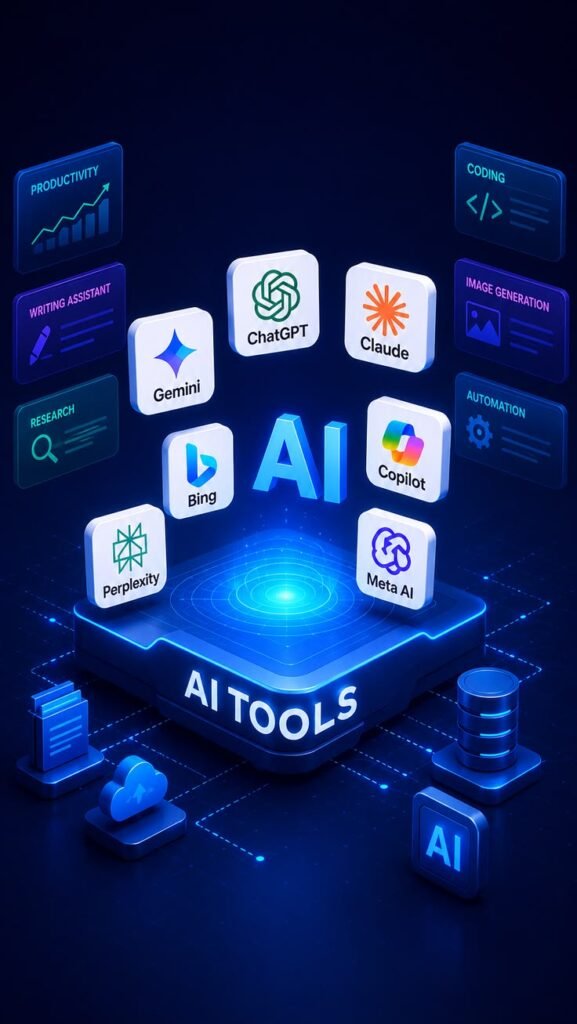
AI Tools in Graphic Design 2026: Complete GuideIntroduction

Graphic design changed fast in last few years. AI tools now help designers work quicker, generate ideas instantly, and even let non-designers create decent visuals. But AI isn’t replacing designers — it’s changing how they work. This guide covers top AI tools in 2026 and how to use them smartly. Why AI Matters in Graphic Design NowClients expect faster turnaround timesSmall businesses need affordable design without hiring full teamsAI handles repetitive tasks (resizing, background removal, mockups)Designers use AI for ideation, then refine with human skillTop AI Tools by Category Midjourney — best for artistic, high-quality concept artDALL-E 3 — good for realistic and creative image blendingAdobe Firefly — commercially safe, integrates directly with Photoshop Looka — generates logo + brand kit from simple inputsBrandmark — AI logo with color palette and font suggestions Photoshop Generative Fill — remove/add objects, extend backgrounds instantlyCanva Magic Studio — text-to-design, background remover, resize automation Smartmockups AI — auto-generates product mockups from flat designsUizard — AI wireframe-to-UI design tool Fontjoy — AI font pairing suggestionsKhroma — AI color palette generator based on your preferencesHow Designers Should Use AI (Not Replace, Assist) Risks & Limitations of AI Design ToolsCopyright concerns — some AI-generated images have unclear ownership/usage rightsGeneric outputs — AI can produce similar-looking designs across different brandsLacks brand context — AI doesn’t fully understand a business’s unique story/valuesQuality control needed — AI mistakes (extra fingers, distorted text) require human reviewExample A small design studio used Adobe Firefly for quick background generation and Canva Magic Studio for social media resizing. This cut their production time by 30%, letting them take on more clients without increasing team size. Step-by-Step: Adding AI to Your Design WorkflowIdentify repetitive tasks — resizing, background removal, mockups.Pick 1-2 AI tools — start with Canva Magic Studio or Photoshop Generative Fill.Use AI for first drafts — generate concepts fast, then refine manually.Keep human review — check brand consistency, quality, copyright before delivering.Track time saved — measure efficiency gain monthly.Frequently Asked Questions Will AI replace graphic designers?No. AI speeds up repetitive tasks, but strategic thinking, brand storytelling, and quality judgment still need human designers. Is it legal to use AI-generated images commercially?Depends on the tool. Adobe Firefly is commercially safe; others like Midjourney/DALL-E have specific licensing terms — always check before commercial use. What’s the best free AI design tool for beginners?Canva Magic Studio offers a strong free tier with AI background removal, text-to-image, and resizing tools. Conclusion AI tools are now essential in graphic design workflow — not as a replacement, but as a speed booster. Businesses and designers who learn to blend AI efficiency with human creativity will stay ahead in 2026.

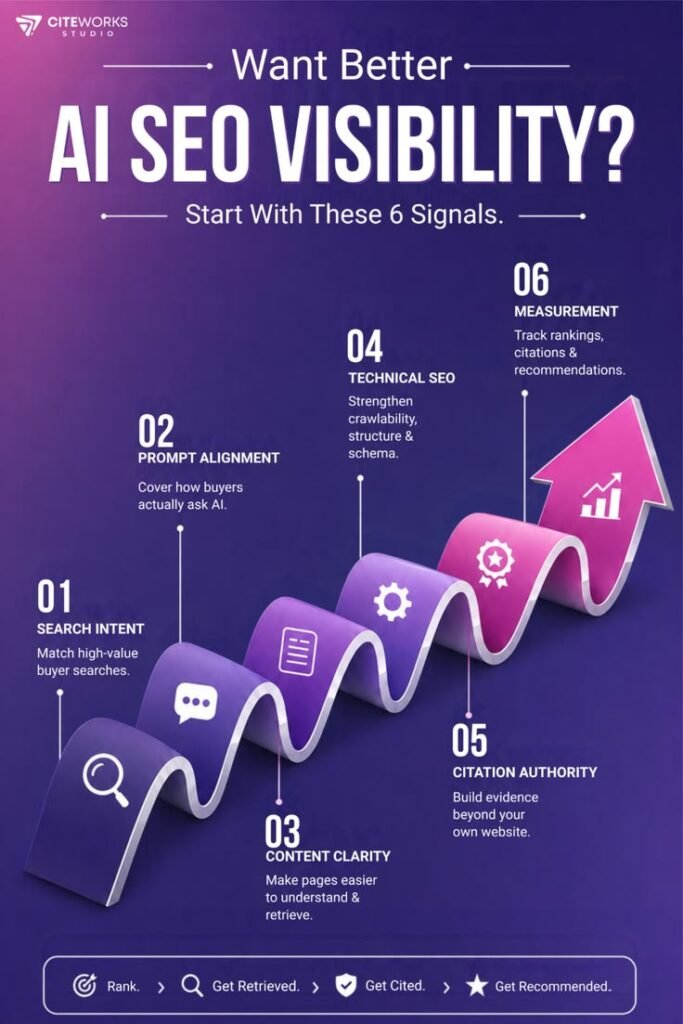
how to improve ai seo visibility 6 signals that matter
Uncategorized

Voice & Visual Search SEO: How to Optimize Your Website in 2026Introduction

Typing isn’t the only way people search anymore. In 2026, millions ask questions out loud to Alexa, Siri, and Google Assistant — or simply take a photo and search with Google Lens. If your website only targets typed keywords, you’re missing a growing chunk of traffic. This guide shows how to optimize for both voice and visual search. What is Voice Search? Voice search lets users speak a query into a device instead of typing. Results are usually read out loud as a single answer, so ranking #1 with a clear, direct answer matters more than ever. What is Visual Search? Visual search lets users search using an image instead of text — pointing a camera at a product, place, or object (via Google Lens or Pinterest Lens) to find matching results online. Why Voice & Visual Search Matter in 2026Smart speakers and voice assistants are now common in homes and carsShopping apps increasingly support “search by photo”Voice search favors local, conversational queries (“near me” searches)Visual search is booming in fashion, home decor, and product-based businessesHow to Optimize for Voice Search How to Optimize for Visual Search Example A home decor business optimized product images with descriptive alt text and schema markup, plus added FAQ-style content for common voice queries. Within 3 months, they saw increased traffic from Google Lens searches and started appearing in voice assistant answers for local queries. Step-by-Step Action PlanResearch conversational keywords — use tools like AnswerThePublic for natural phrase ideas.Update Google Business Profile — accurate NAP (Name, Address, Phone), hours, categories.Add alt text and schema to all product/service images.Create FAQ sections answering common spoken questions.Test page speed and fix slow-loading images/pages.Frequently Asked Questions How is voice search different from typed search?Voice search uses longer, natural, conversational phrases, while typed search often uses short keyword fragments. What is Google Lens and why does it matter?Google Lens lets users search using a photo instead of text — useful for product discovery and identification. Optimizing images helps your business appear in these results. Do I need special tools for visual search SEO?No — mainly good quality images, proper alt text, descriptive file names, and schema markup are enough to start. Conclusion Voice and visual search are changing how customers find businesses online. Optimizing conversational content and image quality now will help you stay visible as search moves beyond typing. Start with your Google Business Profile and product image alt text today.

seo vs aeo how to get found in ai search results
Uncategorized

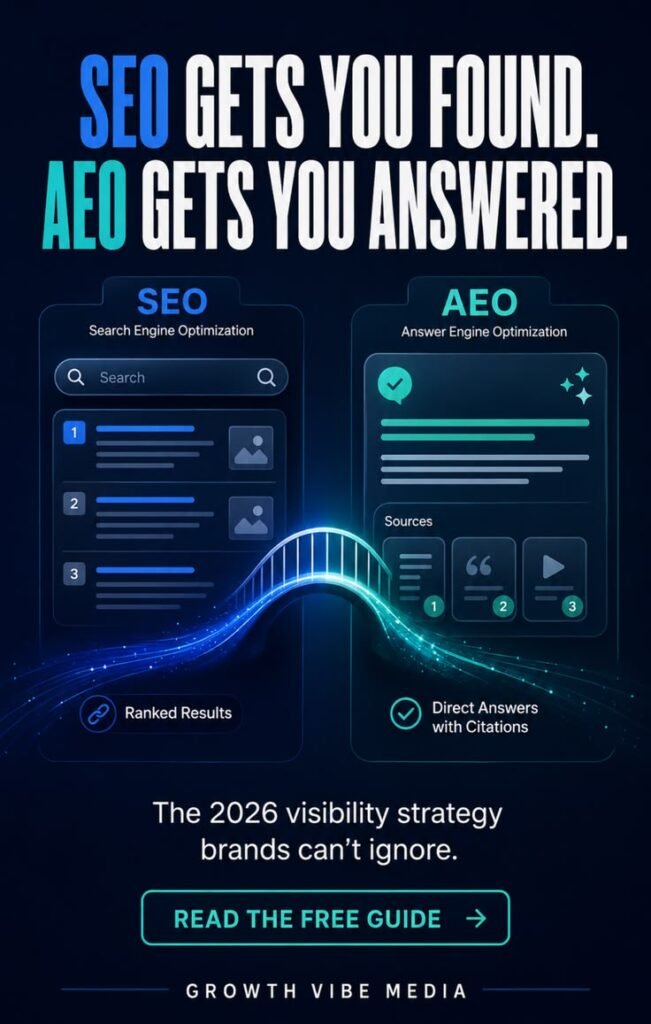
Zero-Click Search & Answer Engine Optimization (AEO): The 2026 SEO GuideIntroduction

Search is changing fast. In 2026, more people get answers directly on the search page — from Google AI Overviews, featured snippets, voice assistants — without ever clicking a website link. This is called “zero-click search.” If your business isn’t optimizing for it, you’re losing visibility even when you rank #1. This guide shows how to adapt. What is Zero-Click Search? Zero-click search happens when a user gets their answer straight from the search results page — through a featured snippet, AI-generated summary, or knowledge panel — without visiting any website. What is Answer Engine Optimization (AEO)? AEO is the practice of structuring your content so AI systems (Google AI Overview, ChatGPT, voice assistants) can easily read, understand, and quote it as the answer — even if the user doesn’t click through. Why It Matters in 2026Google AI Overviews now appear on most searchesVoice assistants (Alexa, Siri, Google Assistant) read out single answersBeing the quoted source builds brand trust, even without a clickSites ignoring AEO lose traffic to competitors who optimizeHow to Optimize for Zero-Click & AEO Paragraph snippets: short direct definitionsList snippets: numbered/bulleted stepsTable snippets: comparison data Example A local service business restructured their blog posts with direct-answer intros and FAQ schema. Within 2 months, they started appearing in Google’s featured snippets and AI Overview for 5+ keywords, increasing brand visibility even on zero-click searches. Step-by-Step Action PlanAudit existing content — find pages ranking page 1 but with low CTR (snippet opportunity).Add direct answers — rewrite intros to answer the query in first 2-3 sentences.Add schema markup — FAQ, HowTo, Article schema via plugin or code.Monitor AI Overview appearances — track using Google Search Console + manual checks.Frequently Asked Questions What is answer engine optimization (AEO)?AEO is optimizing content so AI tools and search engines can pull it as a direct answer, even without a click. Does zero-click search hurt my website traffic?It can reduce clicks for simple queries, but being the featured source builds trust and brings higher-quality traffic for deeper questions. Do I need a developer to add schema markup?No — many CMS platforms (WordPress, Shopify) have plugins to add schema without coding. Conclusion Zero-click search isn’t going away — it’s growing. Businesses that optimize for AEO now will stay visible even as search behavior shifts to AI-powered answers. Start with direct answers and schema markup on your top pages.

ai marketing strategies 2026 automate & scale your business growth
Uncategorized

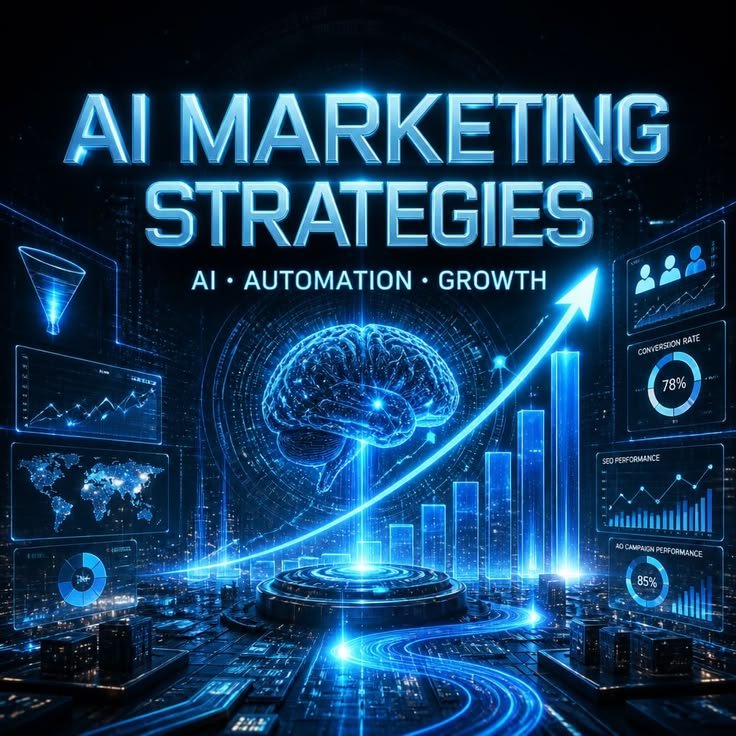
AI Marketing Automation 2026: Complete Guide for BusinessesIntroduction

Running a business in 2026 means competing in a fast, digital-first world. Manual marketing tasks — writing emails one by one, replying to every customer message, guessing which ads to run — waste time and money. AI-powered marketing automation solves this problem. It lets businesses work smarter, reach the right customers, and grow faster without hiring a huge team. What is AI Marketing Automation? AI marketing automation uses artificial intelligence to handle repetitive marketing tasks automatically. Unlike old-school automation (which just follows fixed rules), AI automation learns from data and makes smart decisions — like predicting the best time to send an email or which customer is likely to buy. Key Areas of AI Marketing Automation 1. Email Marketing AutomationAI writes better subject lines, personalizes content for each customer, and sends emails at the time each person is most likely to open them. 2. Chatbots & Customer SupportAI chatbots answer customer questions 24/7, capture leads while you sleep, and pass hot leads to your sales team instantly. 3. AI Ad TargetingPlatforms like Google and Meta use AI bidding to show ads to the right people, reducing wasted ad spend. 4. Predictive AnalyticsAI studies past customer behavior to predict what they’ll do next — helping you plan stock, offers, and campaigns in advance. 5. AI Content GenerationAI helps draft blog posts, social captions, and ad copy quickly, giving your team a head start. 6. Smart Social Media SchedulingAI tools analyze engagement patterns and suggest the best time and content type to post. Top Tools to Explore in 2026Email: Mailchimp AI, ActiveCampaignChatbots: Intercom, TidioAds: Google Performance Max, Meta Advantage+Analytics: HubSpot AI InsightsContent: Jasper, Copy.aiReal Example A small local business used AI email automation and chatbot support together. Within 3 months, they cut manual marketing work by half and reduced customer response time from hours to seconds — leading to more conversions. How to Get Started — Step by StepAudit your current process — list tasks eating up your time.Pick 1-2 tools — start small, don’t overload your team.Integrate with your website/CRM — connect tools to your existing system.Measure results and optimize — track open rates, response times, conversions monthly.Frequently Asked Questions What is AI marketing automation?It’s using AI to automate repetitive marketing tasks like emails, ads, and customer replies — while making smarter decisions than traditional automation. Is AI marketing expensive for small businesses?No. Many tools offer affordable plans starting under $20/month, with free trials available. What’s the best AI tool for beginners?Mailchimp AI (for email) and Tidio (for chatbots) are beginner-friendly and low-cost. Conclusion AI marketing automation isn’t just for big companies anymore. Small and medium businesses can now save time, cut costs, and grow faster using simple, affordable AI tools. Start with one area — email or chatbot — and expand from there. Ready to automate your marketing? [Contact us today for a free consultation.]